Tuesday, August 26, 2014

Microsoft now offers 15GB free storage for OneDrive, 1TB for Office 365 users

Owing to increasing competition in the cloud storage market, Microsoft has more than doubled its free cloud storage and Office 365 subscription. The company is offering 15 GB of free storage to subscribers, matching the amount of free storage Google Drive offers. Earlier, Microsoft offered only 7GB of free storage.
onedrive-logo
Our data tells us that 3 out of 4 people have less than 15 GB of files stored on their PC. Factoring in what they may also have stored on other devices, we believe providing 15 GB for free right out of the gate – with no hoops to jump through – will make it much easier for people to have their documents, videos, and photos available in one place.
OneDrive Group Program Manager Omar Shahine, wrote in company blog post.
Microsoft is also increasing the storage limit for Office 365 subscribers to 1 Terabyte, up from the previous 20GB. Office 365 Home, Personal, and University users will get 1TB of OneDrive storage for $9.99 per month, $6.99 per month and $74.99 for four years respectively.
The pricing updates will take effect in the next month, and current subscribers will automatically be moved to the new prices. OneDrive competes with players like Google Drive, Dropbox, Amazon Cloud Drive. In March, Google slashed the prices of Drive monthly storage plans.

Friday, August 22, 2014

Google Glass now available in the UK

Google has expanded its Explorer Program to the UK and launched Google Glass more than two years after its debut in the US. The company announced that its wearable computer’s ‘Explorer’ edition, which is aimed primarily at developers and ‘creatives’, would be available in the UK from Tuesday 24 June.
Google-glass-prescription-frame-unboxing-11
The kit, which is still a prototype – costs £1,000 ($1,700) while it is available in the US for $1500 and is available for purchase by anyone over 18 years old. Google Glass went on sale in the US May 2014 after making it briefly available to people in April under invite only purchase. Google also launched a try and buy program in April for prospective Google Glass buyers.
Glass is a lightweight frame with a display that rests above the right eye allowing users to search the internet with voice control and watch videos, read emails and other activities. It will be available in the UK in five different colors: black, red, white, gray and blue. Also, Glass will be available in prescription eyewear. There will soon be five swappable frames and eight sunglasses from the Belgian-born American fashion designer Diane von Fürstenberg.
The UK edition of Glass gets new apps including that of The Guardian which shows you breaking news alerts and enables you to save news stories to read later. Other apps include astronomy app Star Chart, fitness game Zombies Run and football news app Goal.com.
Check out the video below released by Google that shows London through a Google Glass.

Samsung Galaxy S5 Sport announced for Sprint


Samsung Galaxy S5 Sport
Samsung has announced Galaxy S5 Sport for Sprint in the U.S. It’s a variant of the Samsung Galaxy S5 Active with slight changes in the design and new colors. Otherwise it has similar hardware keys, IP67 water and dust resistant and specifications as the S5 Active including a 5.1-inch full HD (1920×1080 pixels) Super AMOLED display, 2.5 GHz quad-core Qualcomm Snapdragon 801 processor and it runs on Android 4.4 (KitKat) with Samsung own UI on top. Unlike the S5 Active, this is not shockproof.
It has Sprint Fit Live to access health and activity apps, MapMyFitness that uses GPS to track all fitness activities, and records workout details, Activity Zone that has Barometer, Compass, Flashlight and Stopwatch.
Samsung Galaxy S5 Sport
The Samsung Galaxy S 5 Sport comes in Electric Blue and Cherry Red colors. It would be available through Sprint starting July 25 with $0 down payment (plus tax) and 24 monthly payments of $27.09. For a limited period, those who purchase Samsung Galaxy S5 Sport on Sprint will get $50 off on Samsung Gear Fit.

Thursday, August 21, 2014

Google Voice now understands Indian dialects and accents

Most of the Indian mobile users have a tough time asking for something to their personal mobile voice assistant due to their Indian accent. Thanks to Google, they will not have the problem henceforth as the company has added support for Indian dialects and accents to Google Voice.
voicesearch google
From asking Google where you can watch the latest movie to finding out cricket scores at the touch of a button, Google is there to help you get the answers you need. We’re delighted to showcase the improvements we’ve made to Search for Indian users today. These features demonstrate Google’s commitment to India and to continually improving Indian users’ search experience.
said Sandeep Menon, Head of Marketing, Google India.
Google said that it has worked with over 700 volunteers in India and collected spoken utterances to create the specific language models which power English voice search in the Indian accent. The voice search is available to Android phones running version 2.3 or above, iOS devices like iPhones and iPads and Windows computers through Chrome browser.
To access Voice Search, go to Settings within the Google search app, select Voice>Language> choose English > English (India). You can also use your voice to power your typing in an email or an SMS. If you are an Android user, you can set up Google voice typing under your phone’s Settings > Language and Input > and choosing Google voice typing.

Micromax Canvas Knight A350 now comes with Android 4.4 KitKat


Micromax Canvas Knight KitKat
Micromax launched the Canvas Knight A350 earlier this year running Android 4.2 (Jelly Bean). Soon after the launch Unite 2 A106, its first smartphone running Android 4.4 (KitKat), Micromax releasedCanvas Entice A105 and Canvas Gold A300 running Android 4.4 KitKat out of the box. Now it is advertising on its Facebook and official website that the Canvas Knight comes with Android 4.4.2 (KitKat).
Last year Micromax A116 Canvas HD got the Android 4.2.1 (Jelly Bean) update through service centres. It is not clear if the company plans to offer KitKat update for the currently Canvas Knight users through service or as OTA update. Android KitKat update for older Micromax smartphones was rumored to arriveearlier this year, but it didn’t happen. The company is yet to announce their Android KitKat upgrade plans officially.

Wednesday, August 20, 2014

Microsoft updates Nokia camera app with Living images, continuous focus and more

Microsoft is putting more power into Lumia Windows phones by updating Nokia camera app. The version 4.7.2.5 now adds support for living images that will allow users to click images in a GIF-like format. These photos are then added with a background score and hence turn them into videos.
Nokia-camera app
Secondly, the camera app is getting continuous auto focus that enables faster focusing. This will help users to shoot quickly as the viewfinder will always be in focus. Moreover, the update also brings support for surround sound capture in videos cinemagraphs, smart sequences and Refocus images. The Nokia camera app integrates Nokia Creative Studio and Nokia Video Trimmer for editing your photos and videos.
It must be noted that Living Images and continuous auto-focus are currently only supported only on Lumia 930, 1520 and Icon running the Lumia Cyan software update.

SDKs for Imaging and SensorCore for Lumia released

Nokia has released Imaging and SensorCore software development kits (SDK )for Nokia Lumia handsets. The company had announced the release of beta version of Nokia Imaging SDK 1.2 in April at Build 2014. Today, it is announcing the official release of the SDK whic is ready for the converged Windows platform. Imaging-SDK nokiaThe Imaging SDK 1.2 supports a host of new features including Animated GIF Renderer, Image Aligner API and Local Blending API. This new release also shares a single code base with Windows 8.1, which means you can reuse much of your code when porting across the platform. These tools are designed for performance and devices with smaller amounts of memory. The latest release brings support for not only Lumia smartphones running Windows Phone 8.1, but also any Windows Phone 8.0 and Windows 8.1 device from tablets to desktop PCs.
Moving on the SensorCore SDK has come out of private beta and into developer beta. Available in the Lumia 930, 635, and 630 smartphones,it will enable power-efficient tracking of motion and location data. allows developers to use data from a low-powered, motion- and location-tracking processor found in the aforementioned devices. The upcoming Lumia Cyan update will activate the technology on Lumia 1520 and Lumia Icon as well. One example of an app now using the Lumia SensorCore SDK is Bing Health & Fitness.
Check out the video below for the SDK
https://www.youtube.com/watch?v=FJRCJEdXFNo

Spreadtrum unveils SC883XG quad-core smartphone platform

Chinese chip vendor Spreadtrum Communications today introduced SC883XG, a TD-SCDMA / GSM / GPRS / EDGE multi-mode quad-core smartphone platform with 28nm process technology.
spreadtrum
Spreadtrum’s SC883XG quad-core smartphone platform integrates 1.4GHz quad-core ARM Cortex A7 CPU, dual-core graphics architecture based on ARM Mali 400 MP, and supports TD-SCDMA/HSPA(+) and GSM / GPRS / EDGE with dual-SIM dual-standby capability. The chip further supports 2D/3D graphics acceleration, 1080p HD video, 8 megapixel camera, and integrates powerful professional ISP graphic processing engine for a variety of picture effects.
With the fast adoption of smartphones globally, competitive products with quad-core processors are attracting more and more attention of consumers. Our newest turnkey solution, which integrates a quad-core chipset designed with advanced semiconductor process technology with a complete mobile platform solution for our customers, enables handset makers to develop cost-effective and differentiated products quickly and tailored for the needs of different markets.
said Dr. Leo Li, chairman and CEO of Spreadtrum in a company statement.
The SC883XG integrates with Spreadtrum’s WiFi / Bluetooth / GPS / FM connectivity chip, supports Android 4.4, and is equipped with Spreadtrum’s user interface with applications and options that are customizable by customers. Spreadtrum is currently sampling the SC883XG, with mass production expected later this year.

Thursday, August 7, 2014

Spice Stellar 360 Review


spice-stellar-360-qwerty-review-1
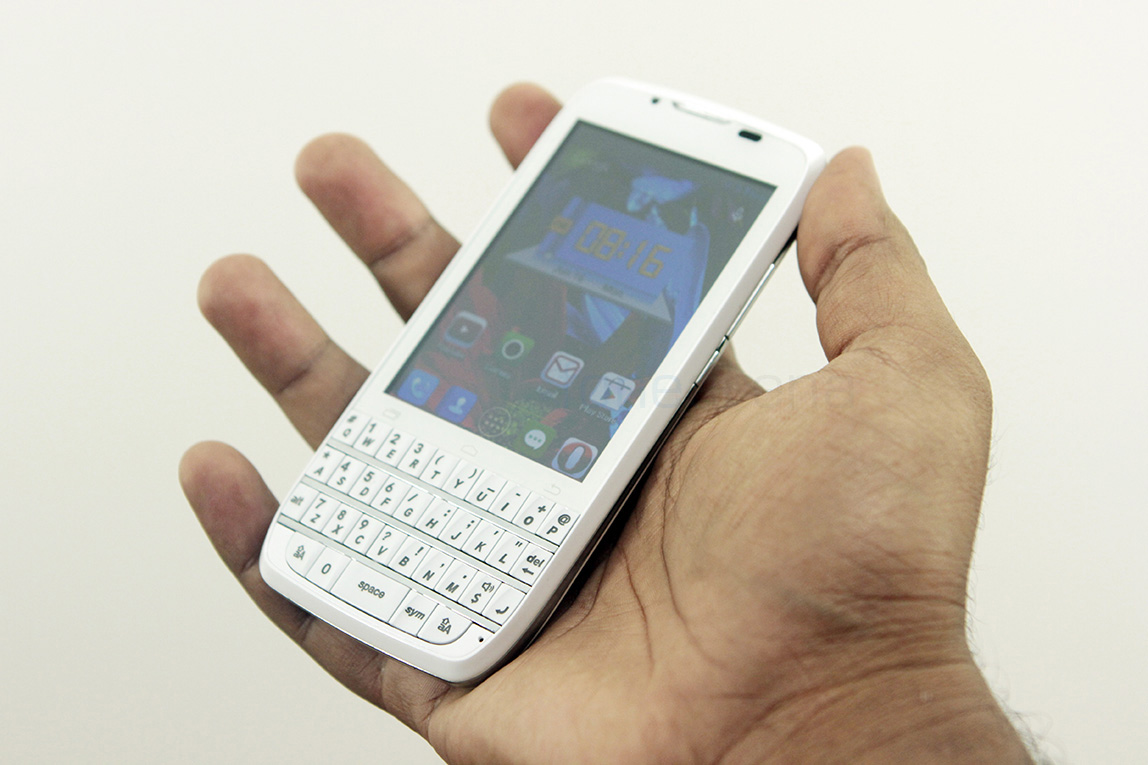
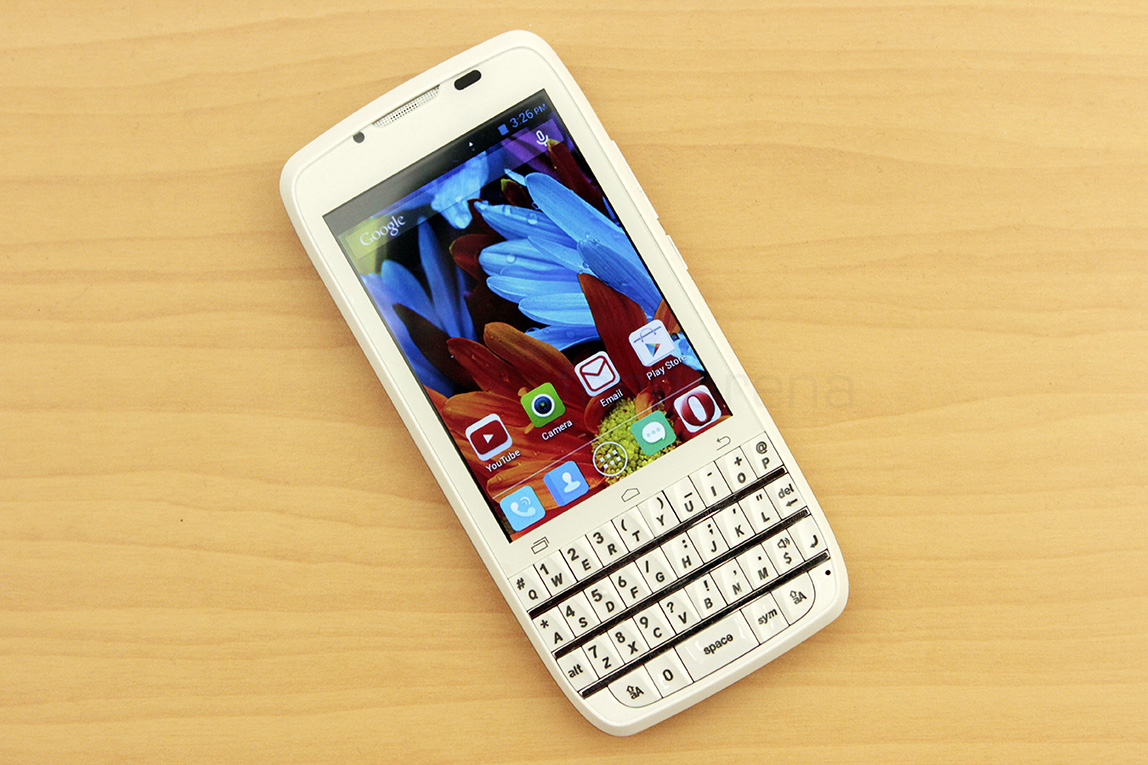
In a world of touchscreen phones, choices in form factors are few, but Spice, one of the many Indian smartphone manufacturers, is offering one, with a keyboard. Spice’s Stellar 360, a budget Android touchscreen smartphone with a full sized qwerty keyboard, wants to appeal to a crowd that still likes its messages typed, on a real keyboard. Selling at a very low price of Rs. 4,799
Design, Build and Hardware Walkthrough
spice-stellar-360-qwerty-review-12
The design of the Spice Stellar 360 is relatable to previous attempts at marrying a touchscreen device with a dull sized keyboard. However, the 3.5 inch screen on the phone makes it a bit different, because the ratio of the screen is not 4:3, like other “touch and type” phones. And in terms of build quality, it is completely plastic, of the less stronger variety, which is not surprising considering the price, and no complaints really, this is a known compromise.
spice-stellar-360-qwerty-review-2
The front face of phone has the touchscreen on top of the qwerty keypad, and between them lie the three capacitive Android short cut keys. These short cut keys offer haptic feedback but we found ourselves mistakenly hitting them again and again while using the phone. Spice should have use hardware keys for them, which would make better sense in this form factor.
spice-stellar-360-qwerty-review-7
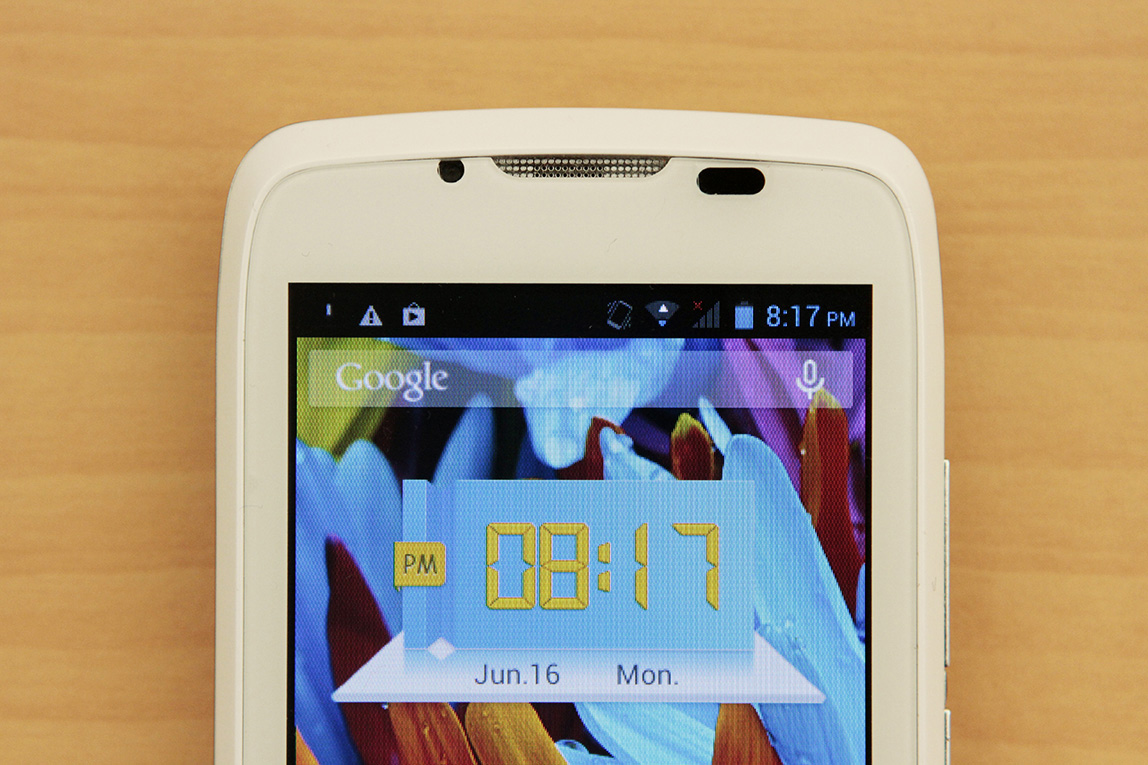
Above the display, we can find the ear piece, the 1.3 megapixel front facing camera and the usual couple of sensors.
spice-stellar-360-qwerty-review-13
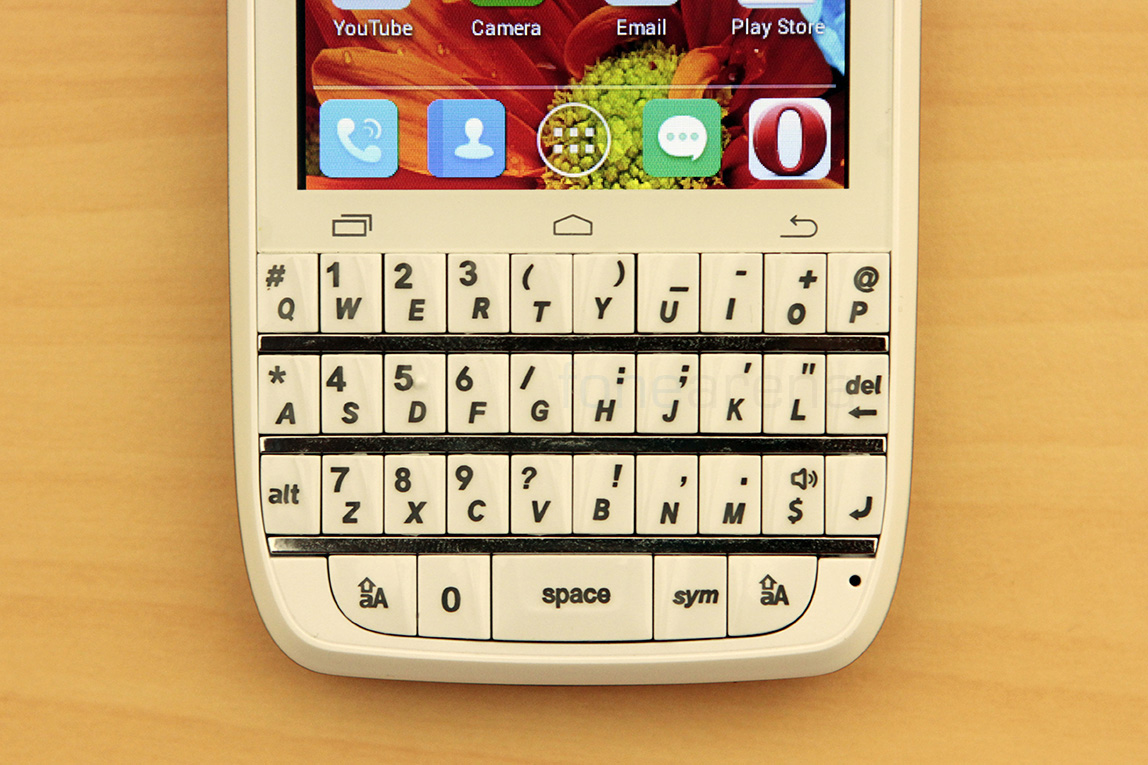
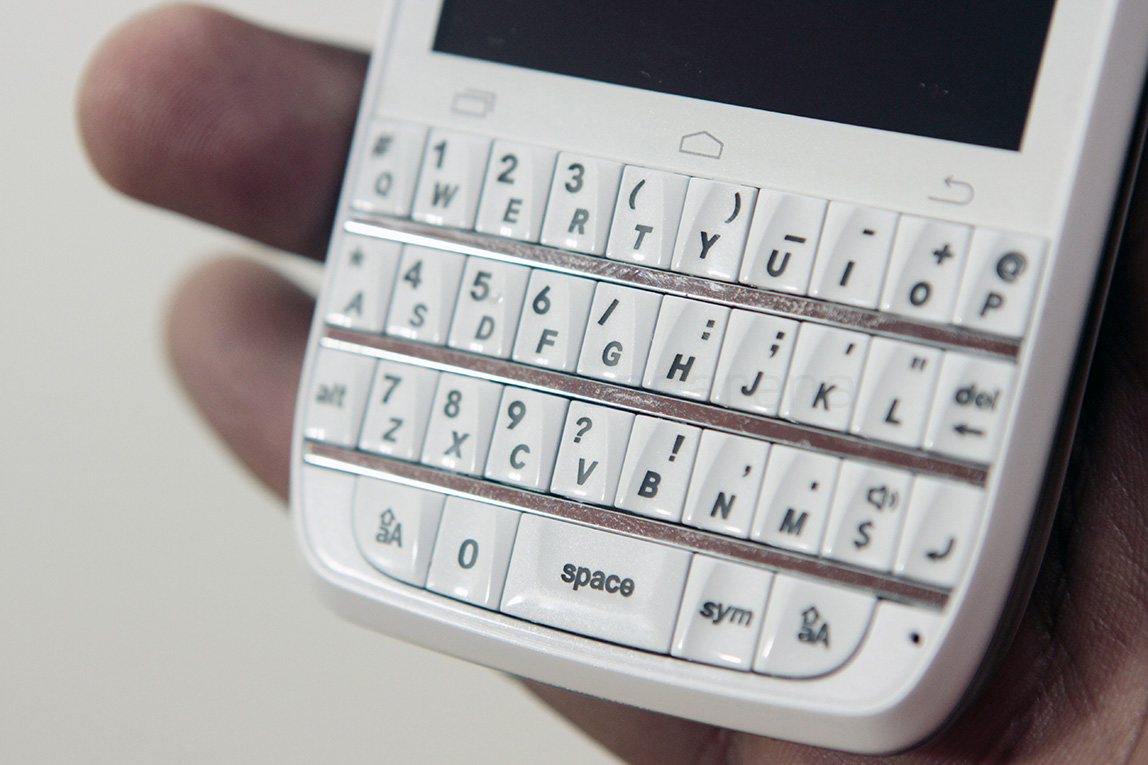
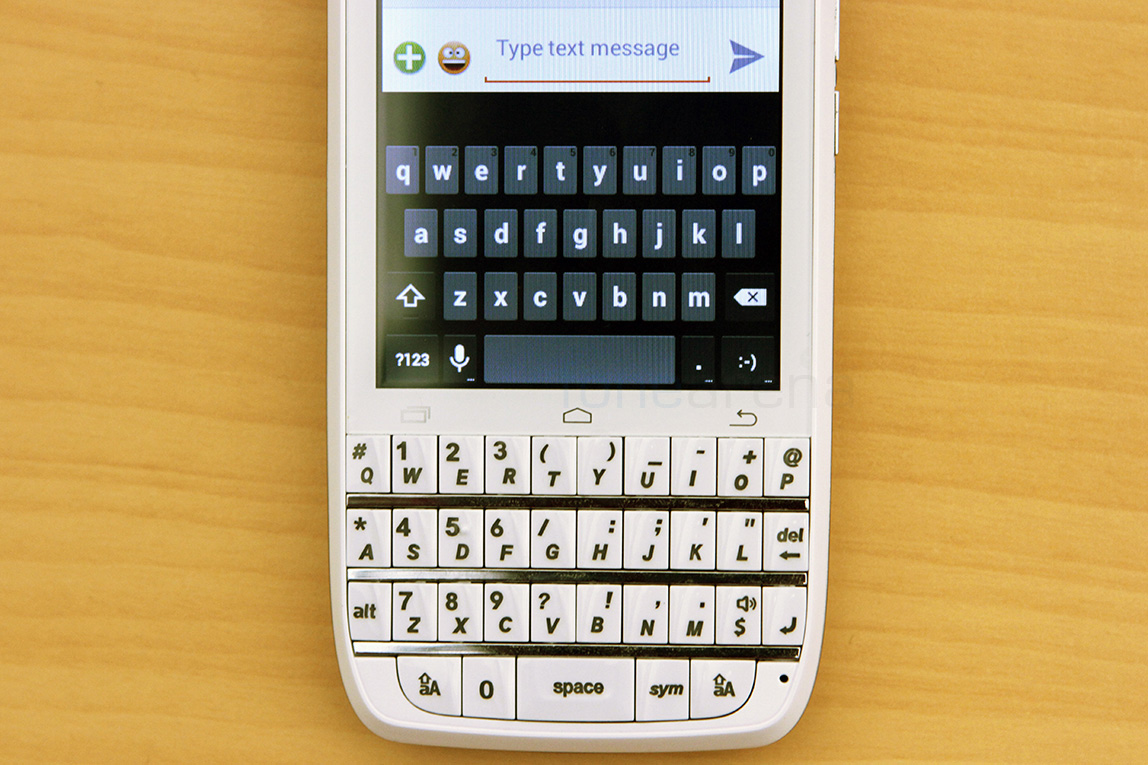
Below the display is of course the qwerty keyboard that plays a central role in this device. It is styled like BlackBerry’s keyboards, but is definitely not as tactile. More on this later.
spice-stellar-360-qwerty-review-16
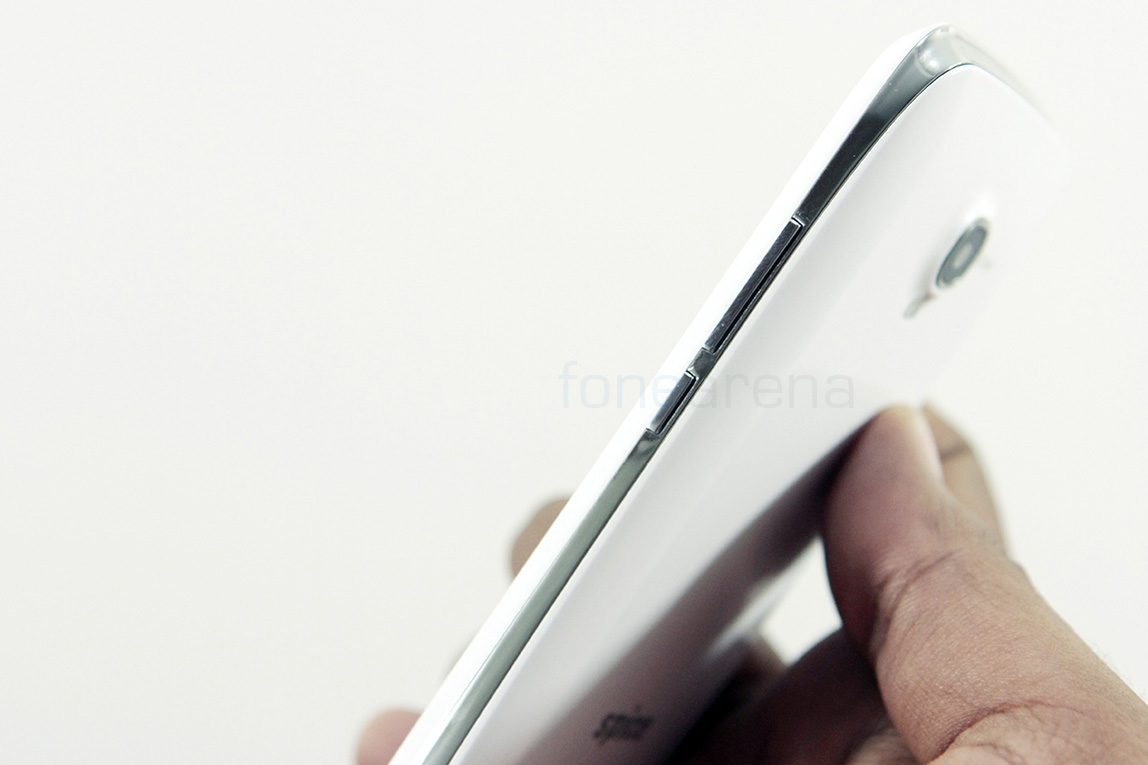
Turning to the sides, over at the right we have the volume rocker and the power lock switch. These are placed in the chrome coloured plastic strip that is sandwiched between the two white glossy plastic parts.
spice-stellar-360-qwerty-review-23
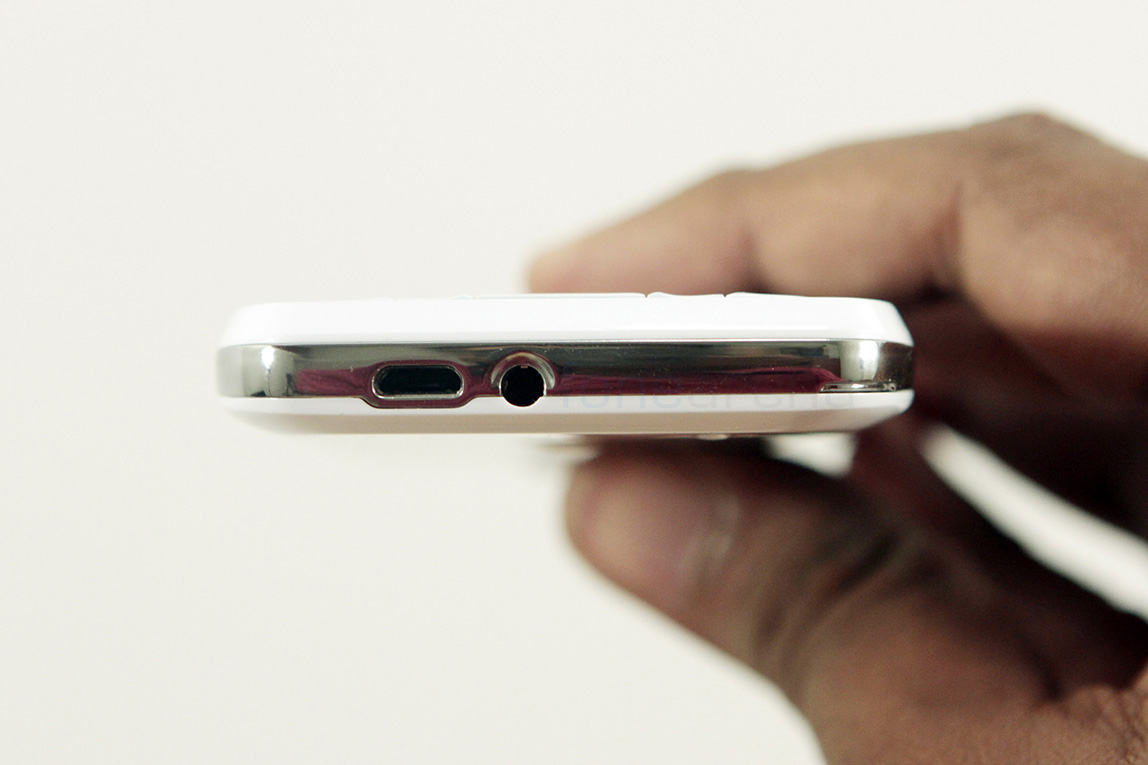
The top and the left sides are bare but the bottom part packs the 3.5mm audio jack and the micro USB port for charging and data transfers.
spice-stellar-360-qwerty-review-9
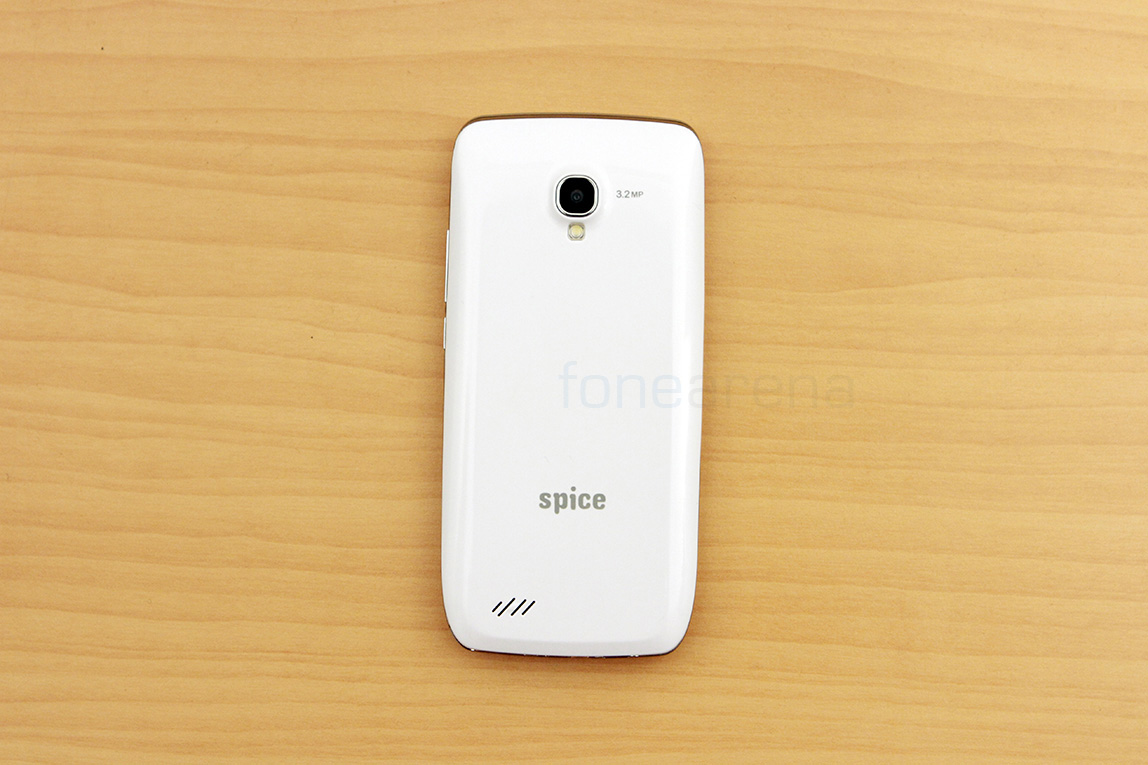
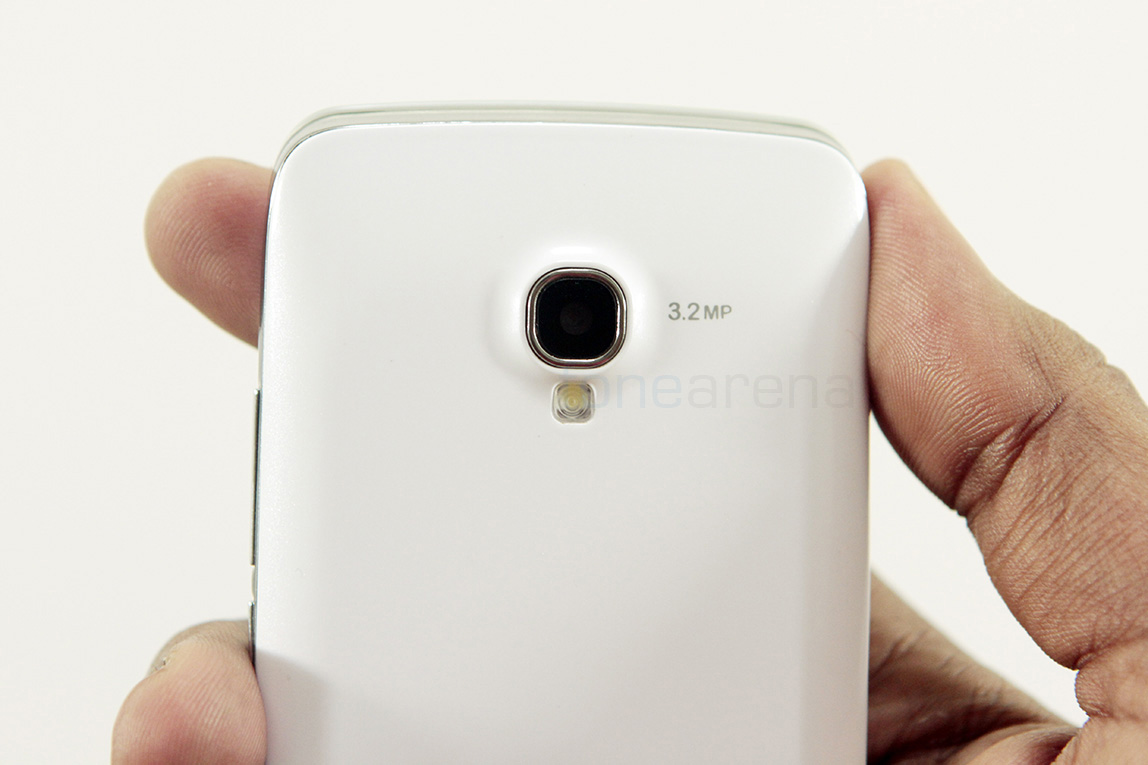
Over at the back we have the 3.2 MP camera and the loudspeaker, along with the Spice logo.
spice-stellar-360-qwerty-review-17
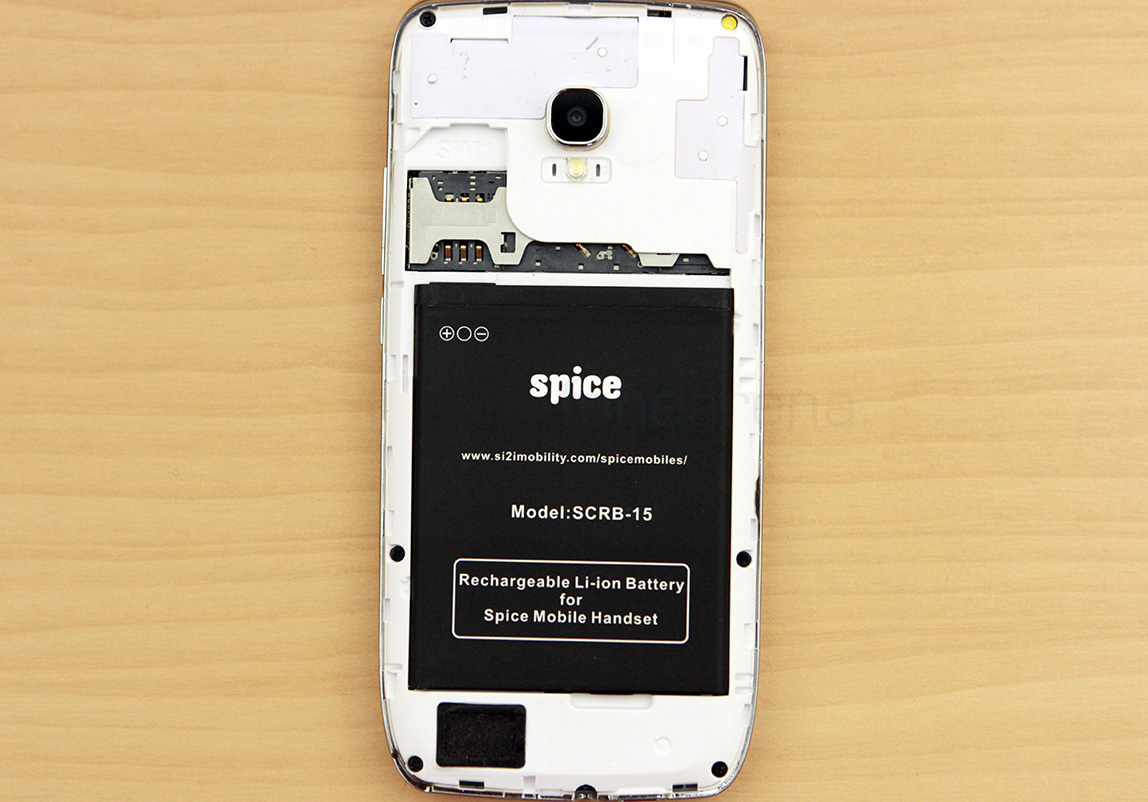
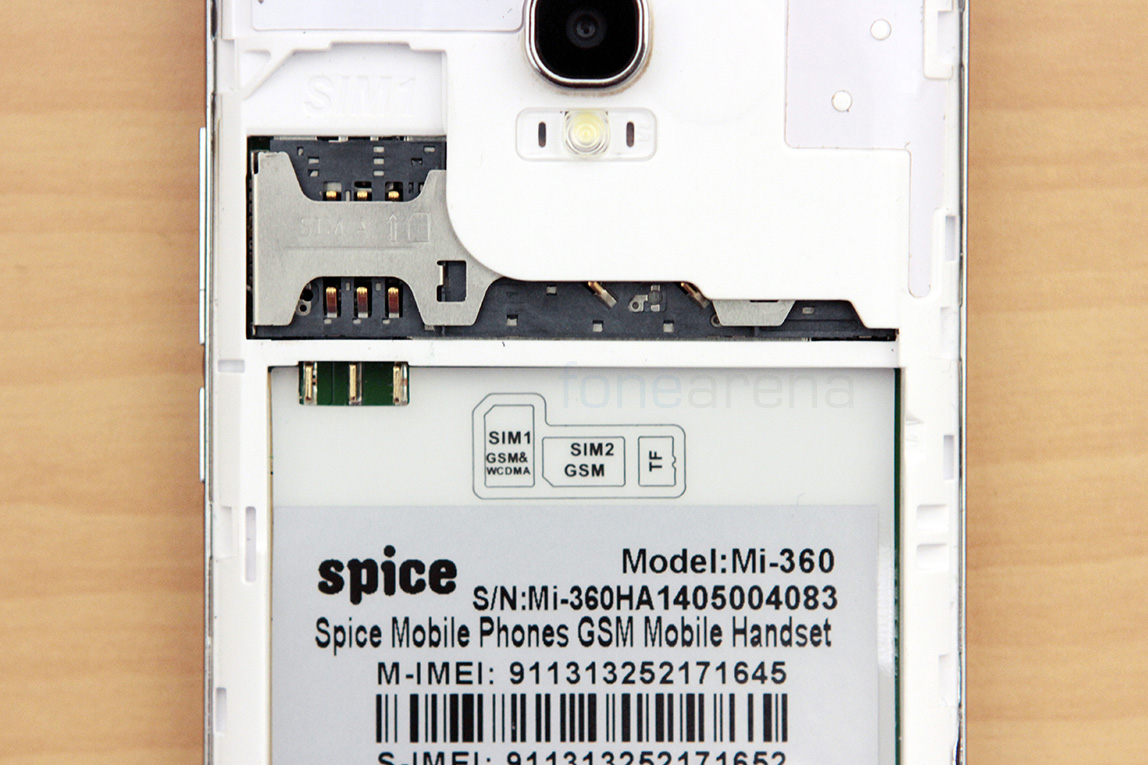
On removing the back panel and the battery, we can see the two SIM card slots, both of the normal size and a micro SD card slot.
Lets focus on the different parts of hardware now.
Display
spice-stellar-360-qwerty-review-3
As mentioned earlier, the display on the front is a 3.5 inch screen, with a resolution of 480×320. The pixel density won’t matter because the display is going to be bad anyway. It has poor viewing angles, for a start, making it unusable even when on a table. A slight tilt will make colours invert and swatches of gray appear on the screen, and increasing the brightness doesn’t help. The screen resolution and the size is exactly the same as the original iPhone, so it is a bit wider than the usual 15:10 displays, and actually helps in accommodating that keyboard. Overall the display is a downer, mainly because Spice had claimed it will be good, on the side of the device’s retail box.
Camera
spice-stellar-360-qwerty-review-10
The Spice Stellar 360 sports a fixed focus 3.2 megapixel camera on the back, which is, as good as you’d expect from a phone at this price range. The pictures, even in daylight, came out noisy and are not usable when it comes to sharing even, but if you are looking to just take a quick picture of documents, or just capturing a memory, this would do.
Here are some camera samples from the device -
Here is a video sample too, to show how it performs in this department.
It records at 480p but can record at 720p too, thanks to the chip that powers it. Lets talk about the internals now.
Internals
spice-stellar-360-internals
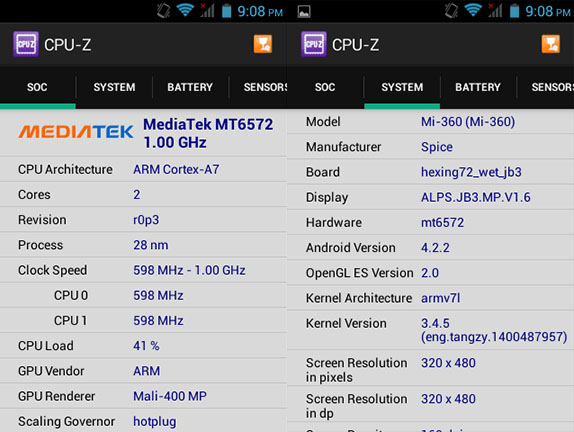
The Spice Stellar 360 is powered by the MediaTek MT6572 chipset that boasts a dual core 1.3 GHz processor and a Mali 400 GPU. For a low end phone, this is pretty good, considering the fact that most of the casual apps and games don’t really require much power. Unsurprisingly, the phone has just 512 MB of RAM, making things less smoother when more than a single app is running in the background.
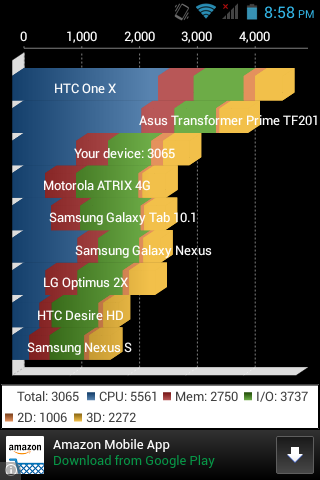
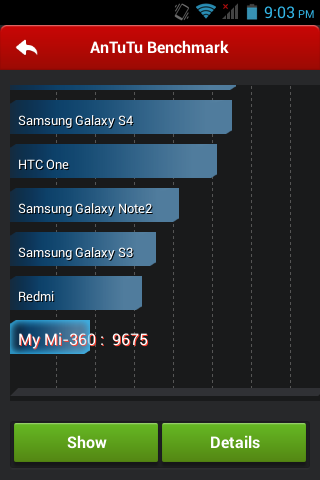
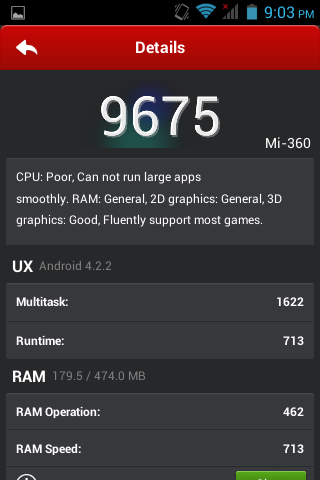
General performance is decent for the price, but you will notice occasional lags and stutters, as is typical with any Android phone with small-ish RAM. We also ran a couple of benchmarks, which can give you some idea of the phone’s raw performance.
We also tested some casual games, mainly portrait, as the phone gets weird when playing anything landscape. The games were fluid even at their highest graphic settings, so killing time won’t be a problem, at the least. Overall, the performance in day-to-day usage won’t be a dealbreaker if you don’t mind the occasional lag. However, gaming is good enough, we felt, except for the weirdness of the phone in landscape, even while watching videos.
On the storage side, we have 2.59 GB out of the rate 4 GB of internal storage, with about 2.37 GB available for the user. The support for memory cards and the option to change the default write disk eliminates the low storage problem. Considering the RAM, the system gets about 215 MB of free RAM to manage all the default background tasks and then some.
spice-stellar-360-qwerty-review-18
The phone comes with the standard dual SIM connectivity options with one SIM supporting 3G at a time. The configuration settings are similar to all the other Mediatek solutions that we are seeing on the market. You can set a default for calls, SMS and data, or control it whenever an action is triggered. The dialer app is purpose built to take advantage of the dual SIM setup, so that makes things a bit easier.
Other connectivity options include the usual WiFi, Bluetooth, GPS and FM Radio with stereo audio.
Keyboard
spice-stellar-360-qwerty-review-14
This is the most important aspect of the Spice Stellar 360, the full size QWERTY keyboard. Modeled just like the ones on BlackBerry, it creates only an illusion of tactility and performance, as the keys tend to be on the cheaper side, proving to be a harder “click” than what we expected. The soft push that makes the typing effortless, is missing, and makes the whole experience a struggle for a person coming from touchscreens.
spice-stellar-360-qwerty-review-19
The keys are slightly angled based on the side it is in, but it doesn’t really help making the typing experience faster. But again, this might be home for people who have yet to experience a touch screen keyboard. Android is flexible enough to accommodate text input the traditional, but without a navigational D-pad, the choosing of symbols or even just moving the cursor requires touch screen input, which frankly breaks the whole experience. More than once, we were left with gaping at a hardware as well as a software keyboard at the same time. The worry is that, the screen typing felt better than the hardware, but again, this is only for the user coming from touchscreens, it might be entirely different if you have been using just T9-based phones. At this price, we are not expecting quality materials or anything, but Spice could have given us a D-pad and hardware short cut keys instead of capacitive ones, that would have made the experience better, in our opinion.
Software
spice-stellar-360-qwerty-review-20
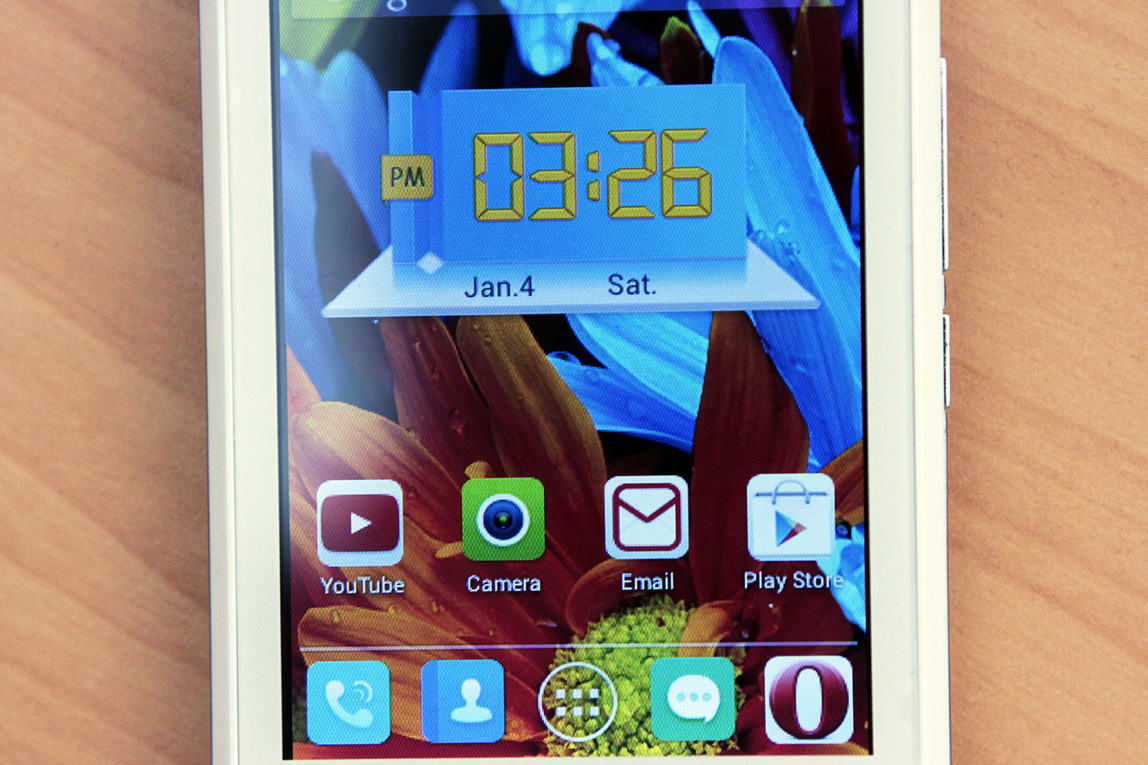
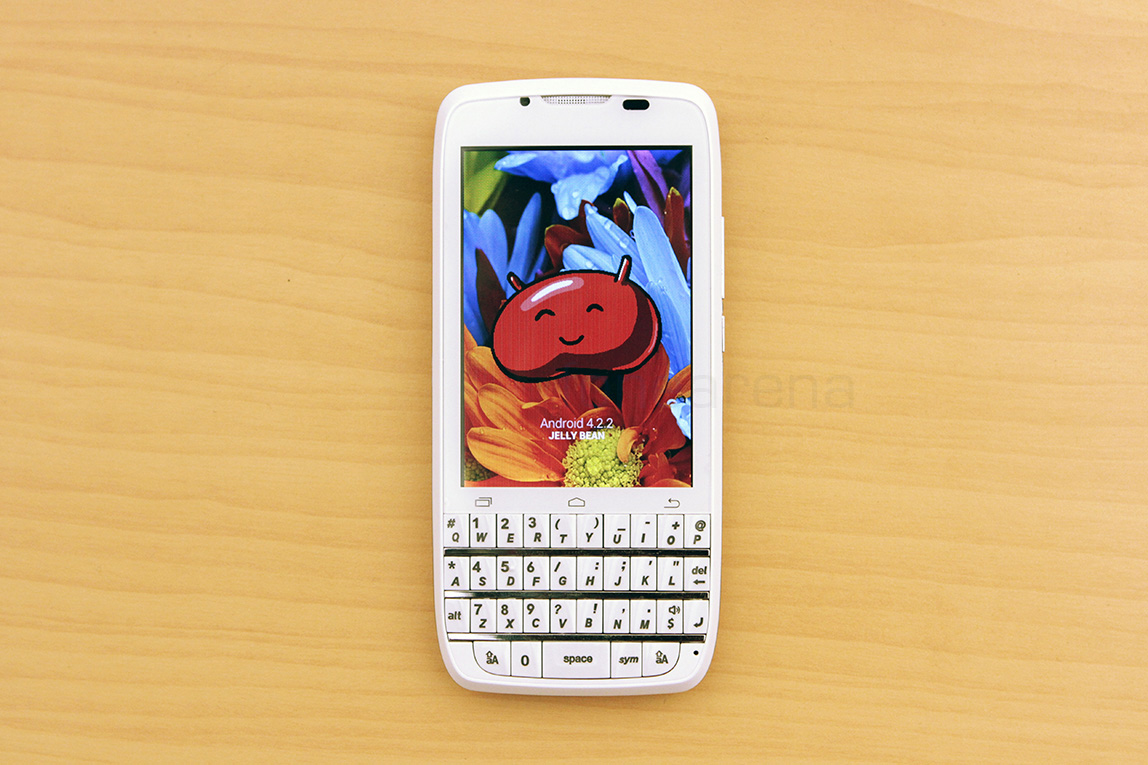
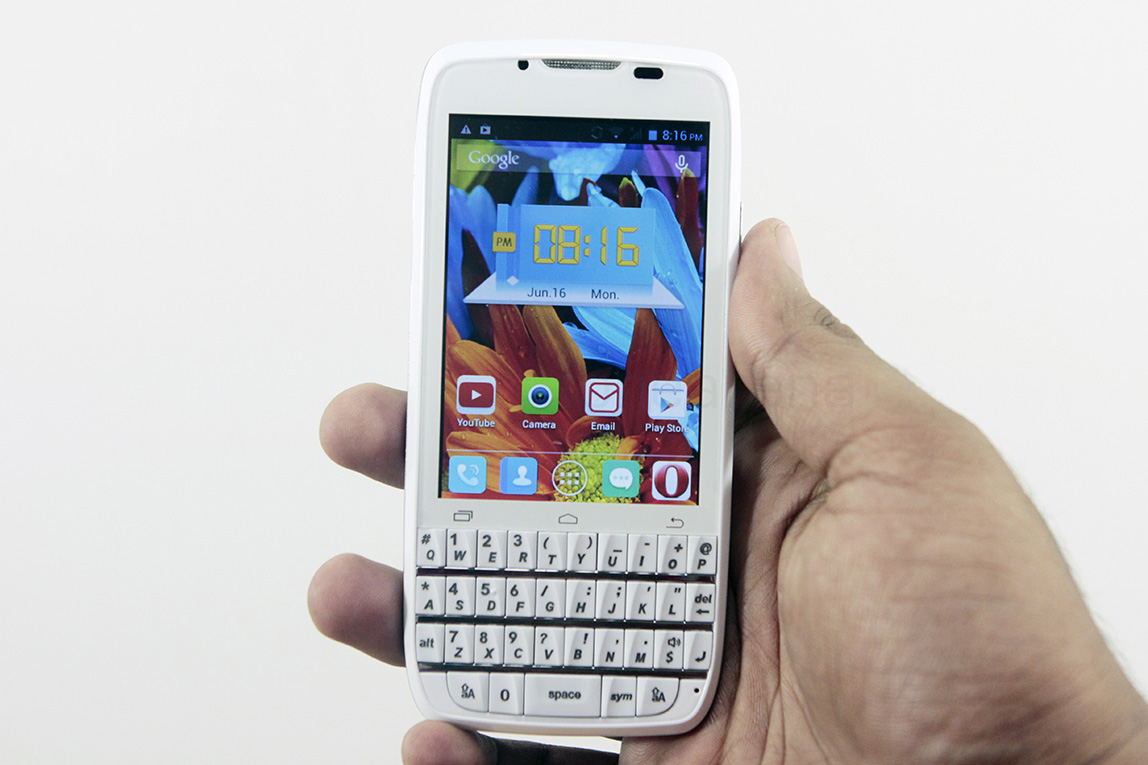
Coming to software, the phone runs on Android 4.2.2 Jellybean, slightly modified by Spice for a tiny little bit extra personalization. The UI’s colour scheme and “Scenes” can be changed, but otherwise, this is pretty much stock Android. The camera app is the usual Mediatek camera app though, which has options similar to the others. As a part of Jellybean, you do get things like quick settings, but Spice has also added its own touches like lockscreen icon notifications for apps. These, though minor, add to the stock experience.
On the apps side, the default Google and utility apps aside, the phone also comes with plenty of pre-installed third party apps including Facebook, Twitter, Whatsapp, BBM and so on. Spice has also bundled its own Cloud backup service, Spice cloud, and Spice gang, a direct file transmission service that relies on WiFi direct. The overall software experience met our expectations, but a 4.4 KitKat update, which might not ever come to this device, would have been great for an out of the box experience, may be next time, or an update soon.
Battery life
spice-stellar-360-qwerty-review-24
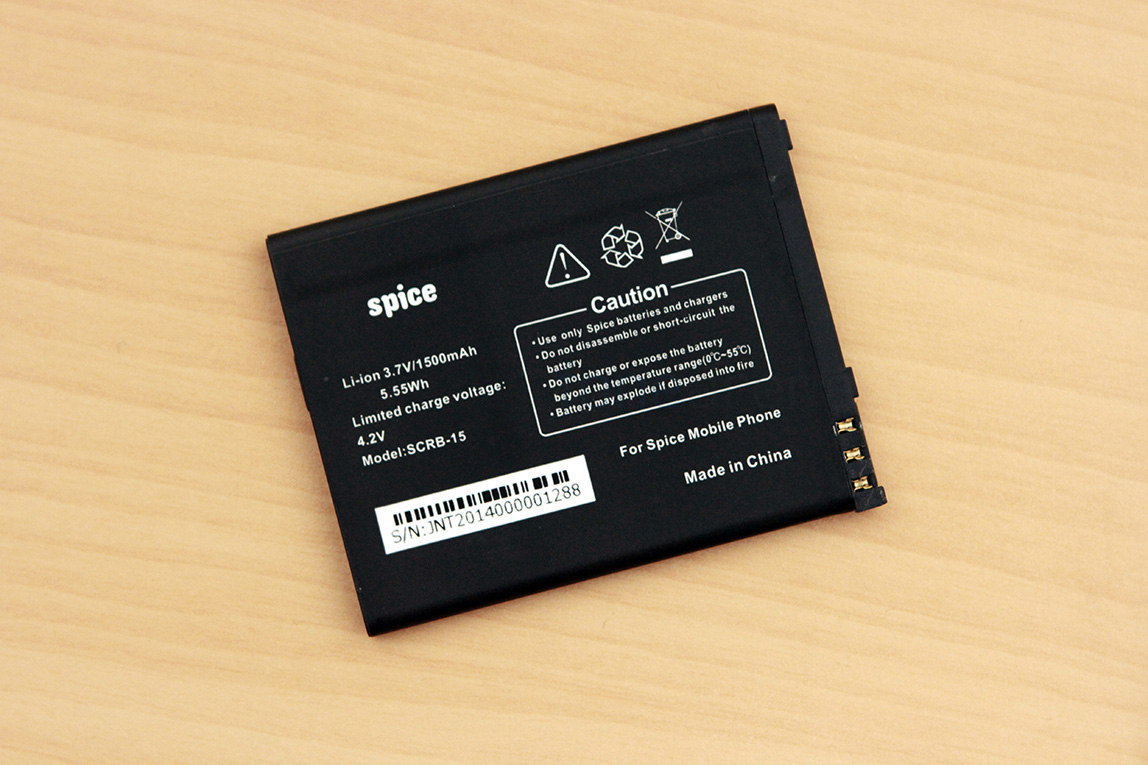
The Stellar 360 comes with a 1500 mAH battery, which, theoretically could be quite enough for a small low resolution screen and a conservative processor. Practically, we found it to be similar, with us getting nearly a day’s worth of usage, with installing apps, using the WiFi as well as the 3G network, with 10% still remaining. Obviously, a Dual SIM setup with more time for calls would tax it more, but we figure you’d be able to replicate our battery life usage as well.
Conclusion
spice-stellar-360-qwerty-review-6
In the end, the Spice Stellar 360 is more of a niche product than anything else. It’s a hybrid that wants to make you type on a real keyboard, which some still prefer, while offering you the same modern experience that full touch screen phones offer. Many companies have gone down this route and failed to entice users back to the keyboard, but have still served the loyal qwerty fanbase. For touch screen users, using the keyboard is pointless and for qwerty lovers, this particular keyboard will be painful, and even people willing to go for an easier form factor transition from T9 or lower end qwerty devices might find it daunting. However, if you are one of those that can’t live without a qwerty for texts, and want all the goodness of an Android device, the Stellar 360 is one of the few options you got, and hey, it might work out for a decent second phone.

Apple’s iWatch to reportedly come in Sports and Designer models

The iWatch will come in two different models. Pocketnow is stating that the iWatch will come in ‘Sports’ and ‘Designer’ style with former being rectangular with a rubber strap and later being round and stainless steel.
iWatch two models
The Sports model is being tested by athletes like basketball player Kobe Bryant. According to PocketNow, both models of the iWatch will feature a water-resistant touch-screen, along with various sensors to track information like blood pressure, body temperature, heart rate, barometric pressure, blood oxygen level and so on.
Moving on, the report states that the iWatch will have 8GB of storage which will make the device an iPod replacement during fitness activities. The iWatch is expected to be released later this year while earlier reports had suggested an October release.

Wednesday, August 6, 2014

Microsoft will pay you $650 when you trade in your Macbook Air for a Surface Pro 3 in the US and Canada


microsoft-surface-pro3-macbook-air
I was at the Microsoft Store in downtown San Francisco yesterday and store employees were readying a new sign at the entrance of the store. It read “Trade in your MacBook Air and get up to $650 toward a Surface Pro 3″. Microsoft has been heavily comparing its latest Surface Pro 3 Tablet with the Apple Macbook Air and looks like Microsoft wants to send out a bold message. Microsoft has posted the terms for the offer and is valid only at the company owned retail stores.
The offer is valid from 6/20/2014 until 7/31/2014 and is applicable only in Microsoft retail stores in the US and Canada and not online. Macbook Airs must be in working condition and should not be water damaged and not have damaged screens. The maximum value of $650 is applicable for the latest generation of Macbook Airs and would be decided by the store reps at the time of the purchase of the Surface Pro 3.
The Surface Pro 3 is a great device from my experience so far with it. My only complaint is that when you are comparing your device with a Macbook Air which has a keyboard built-in , Microsoft should have included the price of the type cover in the pricing of the device itself and not force you to buy another accessory for it to be as functional as the Macbook Air.
Would you trade in your MacBook Air for a a Microsoft Surface Pro 3 ? Check out our unboxing of the Surface Pro 3.

Monday, August 4, 2014

Mozilla working on Firefox OS streaming stick

Mozilla is developing a streaming stick similar to Google’s Chromecast according to a report from GigaOm. The stick which will run on Firefox OS will allow users to stream videos and content.
mozilla streaming stick
The stick was first spotted earlier this week, when Mozilla employee Christina Heilmann tweeted the above picture of a prototype version. The device which does not has a name as yet is touted to have the ability to run some Chromecast apps. Moving on the report also states that  developers will eventually be able to code apps for multiple platforms, including Windows Phone and Amazon’s Fire phone.
“Firefox OS is an open platform freely available for any company to build on top of without restriction. This means companies can experiment with different form factors that run Firefox OS,” a spokesperson said.
It is not clear if the hardware of the device will be made by Mozilla or any other company. GigaOm has also released a video of the Firefox streaming stick. In the video, the stick beams content from a Nexus 7 tablet to a TV. Details about the device are still scarce and no word on the price and availability.
Check out the video below to know more about the Firefox OS streaming stick